Dejavu: The missing web UI for OpenSearch
Learn about Dejavu's use-cases for browsing and configuring search relevance with OpenSearch and how to run both with Docker
With 3.6MM docker pulls till date, Dejavu is a popular data browser for Elasticsearch, and now, with the latest 3.6.0 release, we've added first-class data browser support for OpenSearch as well.
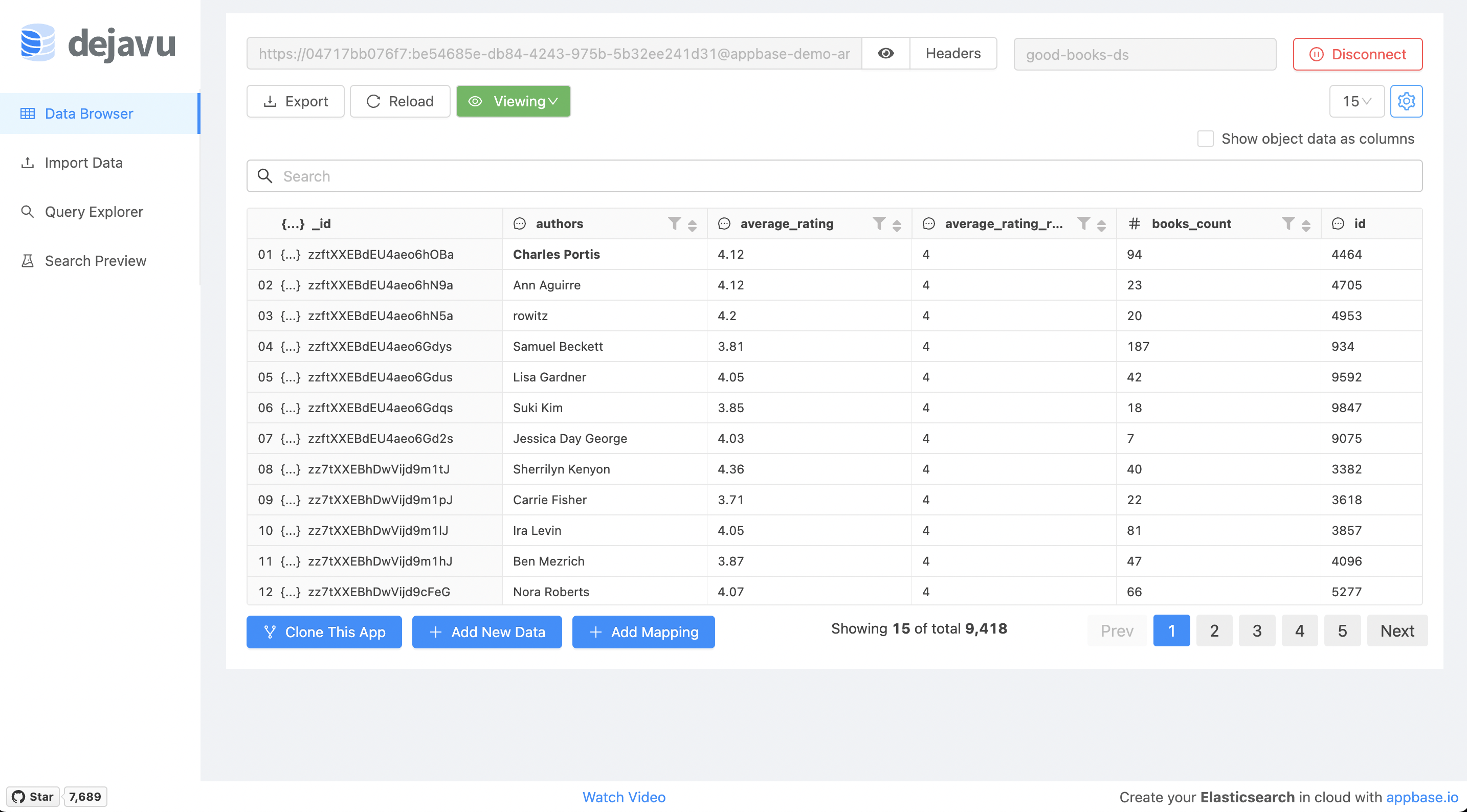
Here's a live URL for you to try Dejavu out. The search index used here only provides a read-access.
What is OpenSearch?
OpenSearch is an Apache 2.0 fork of Elasticsearch 7.10.2, the most popular open-source search and analytics engine. It was created in 2021 and is maintained by AWS and the community. appbase.io partners with OpenSearch to provide the latest OpenSearch releases to our customers on Google Cloud and AWS. Read more about OpenSearch and how it can be used to power different kinds of search experiences over here.
Dejavu and its use-cases
Dejavu provides a modern web UI for Elasticsearch - a Google sheets like tabular view as well as a more familiar faceted search view into your search index, alias or data stream. It comes with options to configure the search results layout as well as support exporting of the search UI and the data itself in JSON and CSV formats.
Dejavu is complementary to a tool such as Kibana, or its derivative: OpenSearch Dashboards. It focuses on just one thing: allowing you to quickly visualize and test search relevance, is lightweight by design with a client-side architecture.
Dejavu as a Data Browser
Dejavu as a data browser allows viewing and editing Elasticsearch index data. Sort through the data, find information visually, hide irrelevant data and make sense of all. With all the native data types Dejavu has. Global searchbar allows you to perform text search across your dataset.
Any filtered view that you create this way can be exported as a JSON or CSV file.
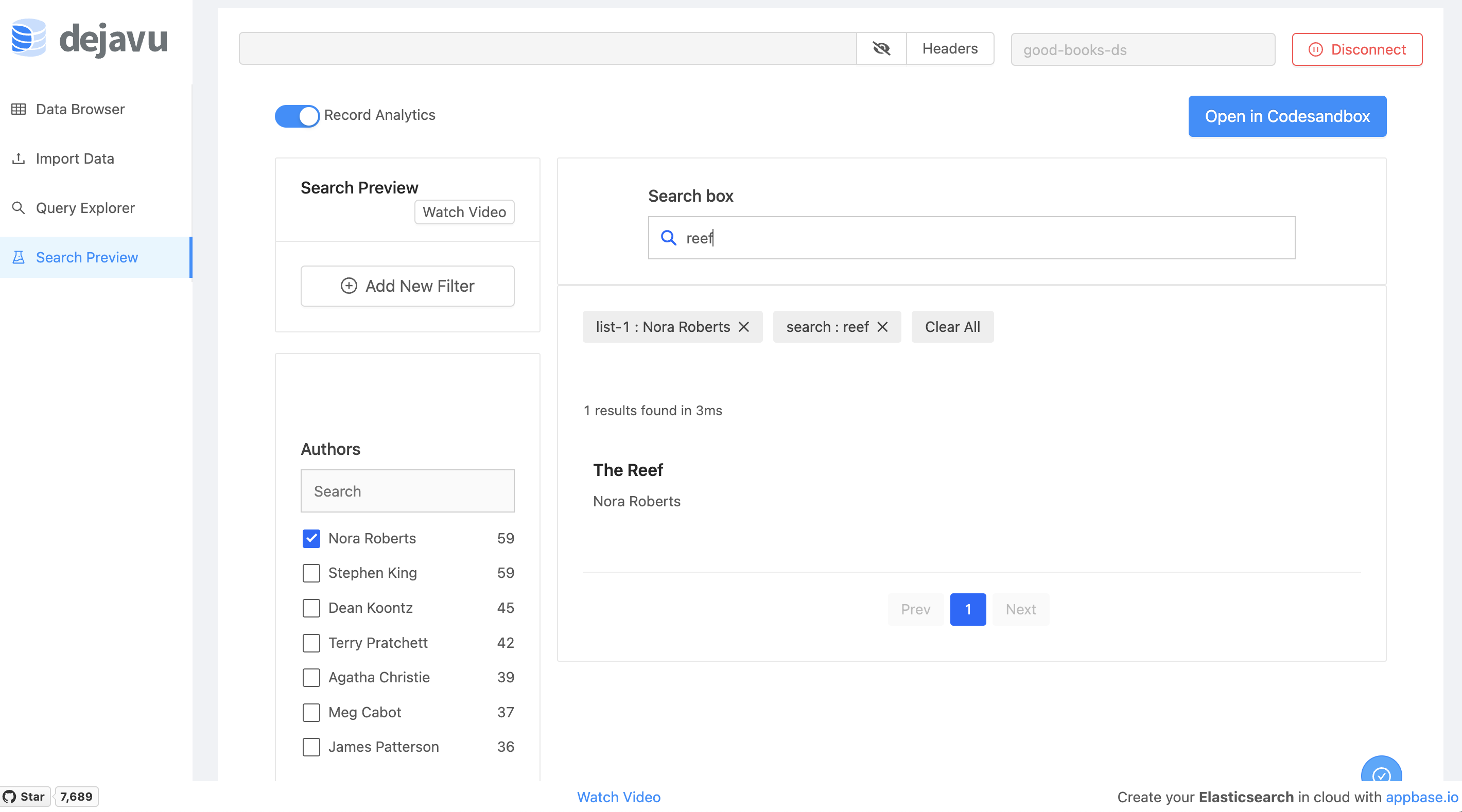
Configure Search Relevance with Dejavu
In the Search Preview mode, you can configure facets, fields to search on and the results view. All of this is then exportable via CodeSandbox where you get a React codebase of the Search UI. This can be a great way to quickly prototype and test search relevancy. All of this can be done without writing code.
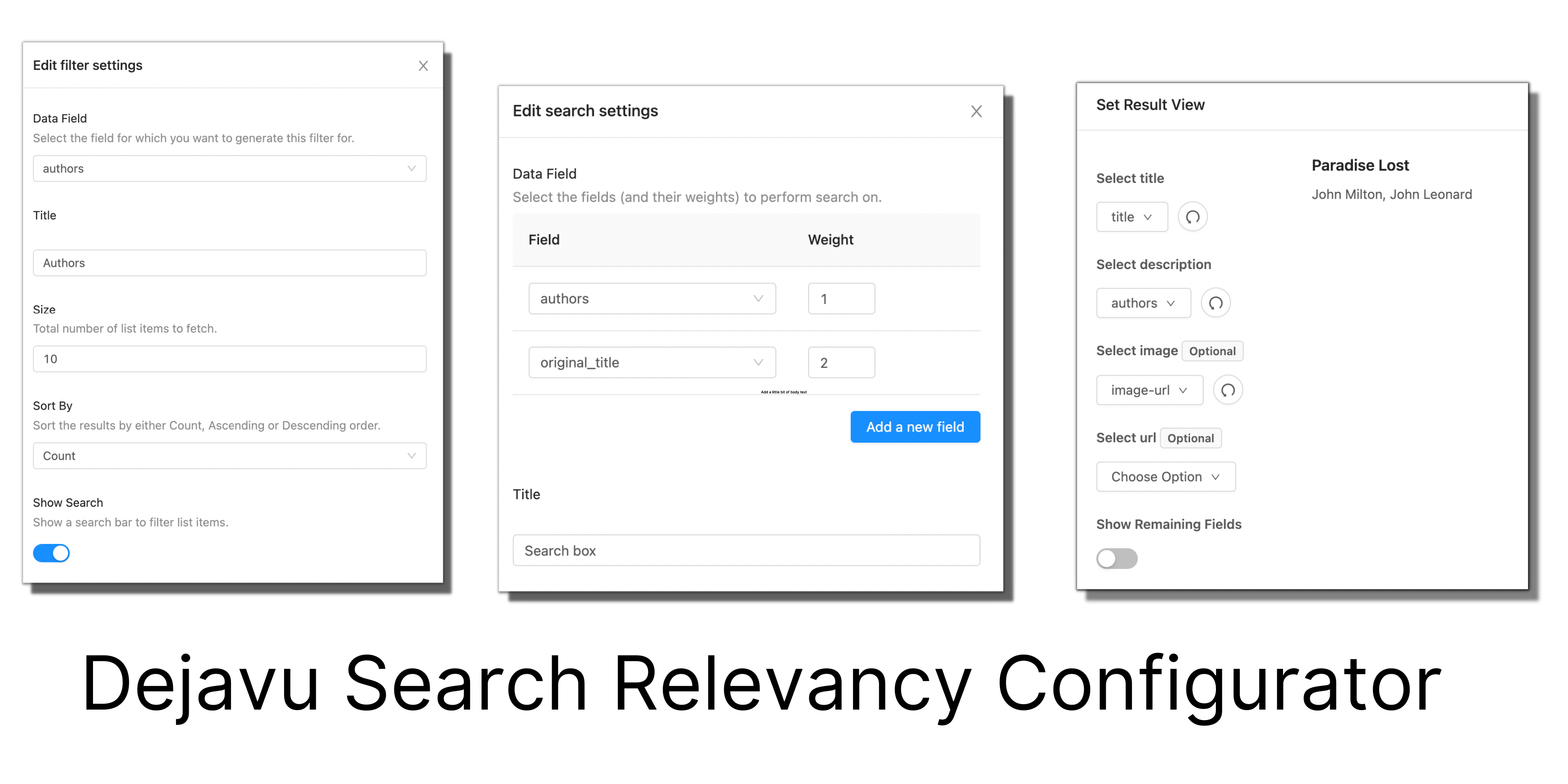
Here's how the exported code looks like:
Deploy OpenSearch and Dejavu with Docker
Let's start by running OpenSearch with Docker.
docker run --name opensearch --rm -d -p 9200:9200 -e http.port=9200 \
-e discovery.type=single-node -e plugins.security.disabled=true \
-e http.max_content_length=10MB -e http.cors.enabled=true -e http.cors.allow-origin=\* \
-e http.cors.allow-headers=X-Requested-With,X-Auth-Token,Content-Type,Content-Length,Authorization \
-e http.cors.allow-credentials=true opensearchproject/opensearch:1.3.0
Here, I'm running this on my local machine, hence the use of discovery.type=single-node and plugins.security.disabled=true environments. This will allow OpenSearch to come online without applying any production bootstrap checks, assume a single-node setup and also not enable TLS cert based security.
Next, let's run Dejavu with Docker.
docker run -p 1358:1358 -d appbaseio/dejavu
That's all! You should see the Dejavu welcome screen by browsing to localhost:1358 in your browser.
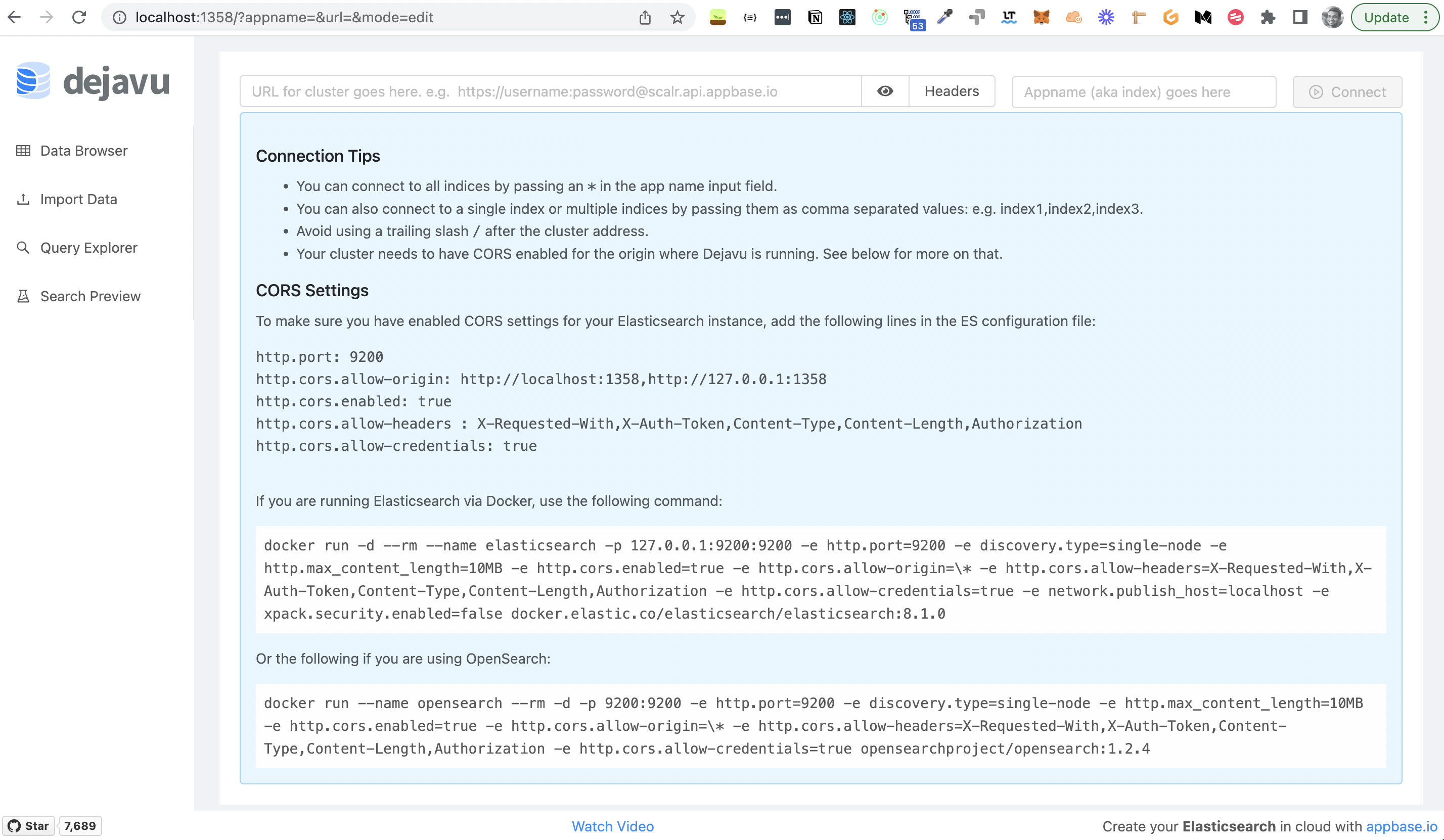
Note: Dejavu can also work with an OpenSearch cluster that's running in a cloud environment.
Dejavu and Elasticsearch
Dejavu was originally created for Elasticsearch and continues to offer first-class support for Elasticsearch, including for the latest major versions 8.0 and above.
Here's how you can run Dejavu with Elasticsearch instead of OpenSearch:
docker run -d --rm --name elasticsearch -p 127.0.0.1:9200:9200 -e http.port=9200 -e discovery.type=single-node -e http.max_content_length=10MB -e http.cors.enabled=true -e http.cors.allow-origin=\* -e http.cors.allow-headers=X-Requested-With,X-Auth-Token,Content-Type,Content-Length,Authorization -e http.cors.allow-credentials=true -e network.publish_host=localhost -e xpack.security.enabled=false docker.elastic.co/elasticsearch/elasticsearch:8.1.1
docker run -p 1358:1358 -d appbaseio/dejavu
Dejavu also works with 7.x releases of Elasticsearch, but may not work well with older 5.x and 6.x releases.
Get More with ReactiveSearch and appbase.io
Dejavu is built using ReactiveSearch, a UI components library for creating search experiences in React and Vue. You can use ReactiveSearch to take advantage of its scaffolding yet have full control over the form and functionality of your search UI.
appbase.io offers a hosted version of Dejavu which allows: configuring search relevance with more control, including configuring the search engine language, typo tolerance settings, synonyms, query rules, and pipelines. appbase.io also offers actionable search analytics and insights and works with any Elasticsearch or OpenSearch cluster out there. Sign up for a free 14-days trial over here.
Comments
Join the discussionNo comments yet. Be the first to comment.